The wait is over: VMworld 2021 begins now! Join us
Join us online for VMworld 2021, the industry’s premier multi-cloud event. Where the people & organizations creating the digital foundation for technology and business transformation gather.
Daniel Micanek virtual Blog – Like normal Dan, but virtual.
Join us online for VMworld 2021, the industry’s premier multi-cloud event. Where the people & organizations creating the digital foundation for technology and business transformation gather.
Updates to Nested ESXi Virtual Appliance for vSphere 7.0 Update 3
✔️Corrected vSphere 7.0 Update 3 Release Note URLs 🔸vCenter:https://t.co/pQxSj5ltxk 🔹ESXihttps://t.co/qrKrtmo87c https://t.co/oYMMWVWmWy — William Lam (@lamw) October 5, 2021 vSphere 7.0 Update 3 officially GA’ed this morning and I am happy to share a quick that my Nested ESXi Virtual Appliance (OVA and Content Library) has also been updated to support the latest release. In addition, […]
Today is a big day for the Tanzu team at VMware. It’s a day we’ve long been looking forward to, and a day that we’d like to celebrate with you. Just this morning we released VMware Tanzu Community Edition, a freely available, community-supported, open source distribution of VMware Tanzu that […]
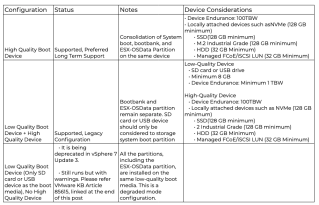
Historically, SD cards or USB devices have been chosen to free up device bays and lower the cost of installing ESXi hosts. Such devices, however, have lower endurance and exhibit reliability and issues over time. SD cards and USB drives may also exhibit performance issues and may not tolerate […]
Colbert will shape the technology vision for the company and drive foundational technologies for the company’s next stage of growth
Well here we are again – another VMworld has come around. As most of you will know, VMworld 2021 is going to be fully virtual event. Here are My Top 10 Sessions:
Curious how Project Monterey and SmartNICs will redefine the data center for VMware ESXi hosts and bare-metal systems?
Reducing the amount of time required to update and upgrade your systems is imperative as the number of systems and environments grow
Is app modernization top of mind for your business? You’re not alone, but many are struggling to begin
Got VEBA? The VMware Event Broker Appliance has come a long way since its release 3 years ago
Ever experience application migration paralysis? Fear not!
Legacy network operations & management solutions have been primarily reactive. Enter the self-healing network
Apps are the lifeblood of the business in today’s digital economy. Can you envision seamless connectivity between your apps & networking technologies?
Managing Kubernetes clusters across teams and clouds can be difficult. Not with Tanzu Mission Control.
Questions on how VMware Tanzu Kubernetes Grid works? Our experts are here for you!
With the expansion of VMware’s security portfolio, you may be wondering how all of the pieces fit together into a cohesive multi-cloud enterprise design
what better way to celebrate innovation than by updating our ESXi-Arm Fling? NVIDIA Xavier, Altra, bug fixes and perf improvements.
We can see annual incidence of uncorrectable errors is rissing. Here is one possibility – How to solved it with FRM.
Some systems have reliable memory, which is a part of memory that is less likely to have hardware memory errors than other parts of the memory in the system. If the hardware exposes information about the different levels of reliability, ESXi might be able to achieve higher system reliability.
Configuration is in BIOS policy / Advanced / RAS Memory
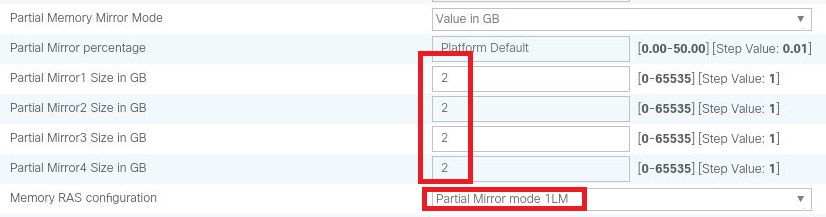
8GB Could be enough for ESXi hypervisor …
This forces the Hypervisor and some core kernel processes to be mirrored between DIMMs so ESXi itself can survive the complete and total failure of a memory DIMM.
# esxcli hardware memory get
    Physical Memory: 540800864256 Bytes
    Reliable Memory: 8589934592 Bytes
    NUMA Node Count: 2
#  esxcli system settings kernel list | grep useReliableMem
 useReliableMem Bool TRUE TRUE TRUE System is aware of reliable memory.
I can decided to configure more Reliable Memory for VM – not only 8GB for hypervisor.
To turn on the feature per VM:
sched.mem.reliable = "True"Memory Errors and Dell EMC PowerEdge YX4X Server Memory RAS Features
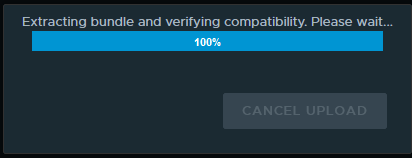
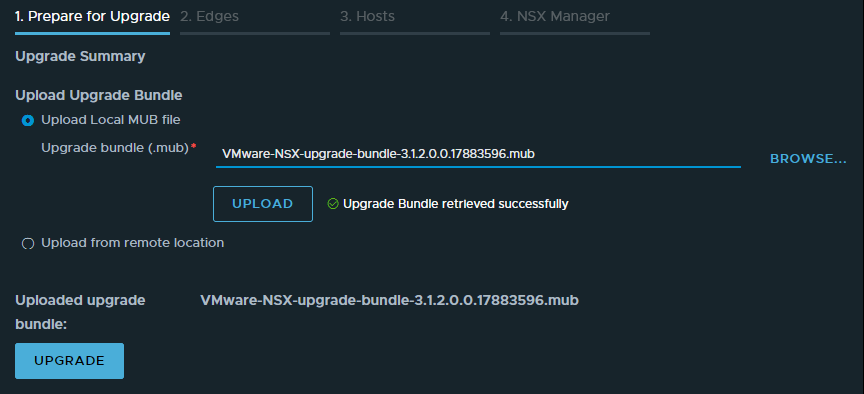
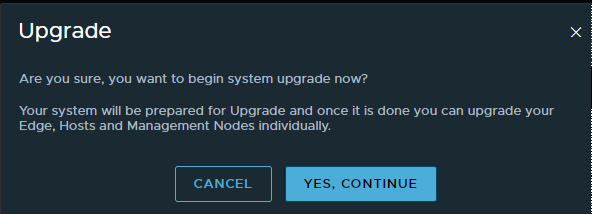
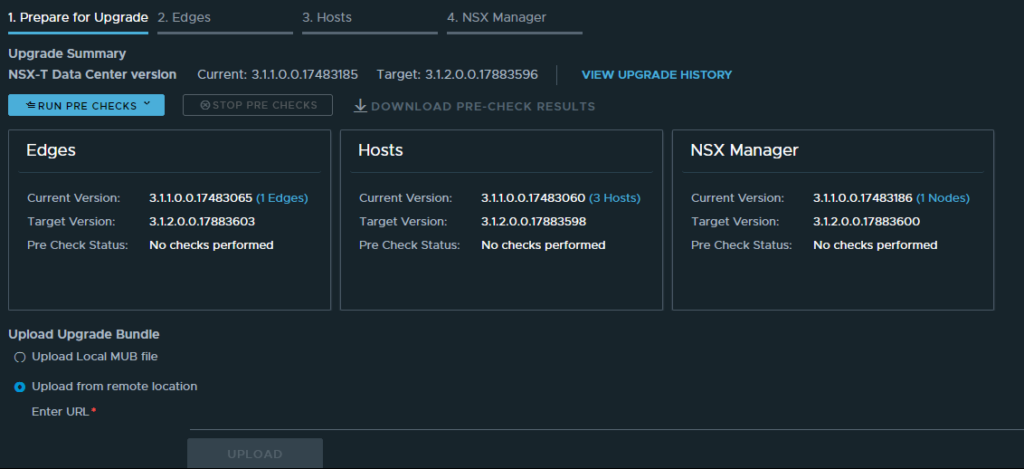
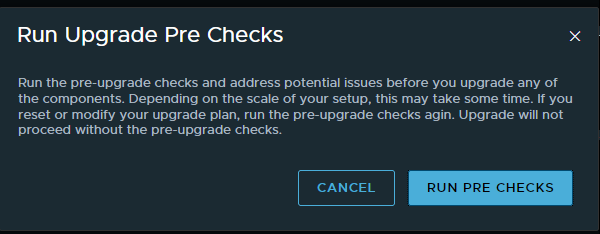
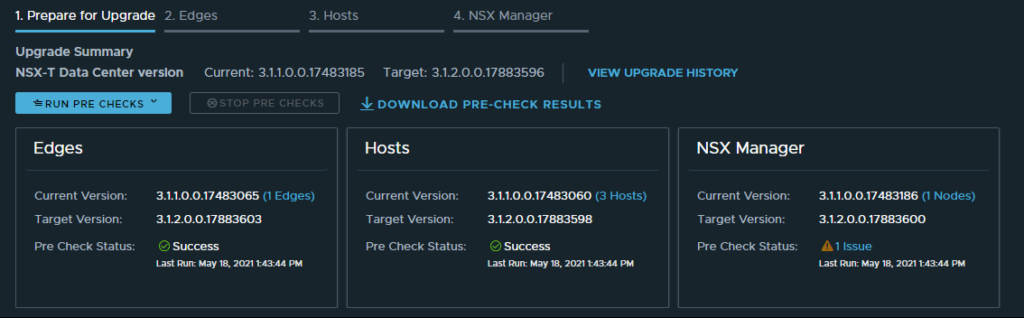
After you finish the prerequisites for upgrading, your next step is to update the upgrade coordinator to initiate the upgrade process.
Trending support issues in VMware NSX (2131154) – This article provides information regarding trending issues and important Knowledge Base articles regarding VMware NSX Data Center for vSphere 6.x and VMware NSX-T Data Center 3.x.
The upgrade coordinator runs in the NSX Manager. It is a self-contained web application that orchestrates the upgrade process of hosts, NSX Edge cluster, NSX Controller cluster, and Management plane.
After the upgrade coordinator has been upgraded, based on your input, the upgrade coordinator updates the NSX Edge cluster, hosts, and the Management plane. Edge upgrade unit groups consist of NSX Edge nodes that are part of the same NSX Edge cluster. You can reorder Edge upgrade unit groups and enable or disable an Edge upgrade unit group from the upgrade sequence.
You can upgrade your hosts using the upgrade coordinator.
The upgrade sequence upgrades the Management Plane at the end. When the Management Plane upgrade is in progress, avoid any configuration changes from any of the nodes.
| Task | Instructions |
|---|---|
| Review the known upgrade problems and workaround documented in the NSX-T Data Center release notes. | See the NSX-T Data Center Release Notes. |
| Follow the system configuration requirements and prepare your infrastructure. | See the system requirements section of the NSX-T Data Center Installation Guide. |
| Evaluate the operational impact of the upgrade. | See Operational Impact of the NSX-T Data Center Upgrade. |
| Upgrade your supported hypervisor. | See Upgrading Your Host OS. |
| If you have an earlier version of NSX Intelligence installed, upgrade the NSX Intelligence appliance first. | See the Installing and Upgrading VMware NSX Intelligence documentation at https://docs.vmware.com/en/VMware-NSX-Intelligence/index.html for more information. |
| Complete the Pre-Upgrade Tasks. | See Pre-Upgrade Tasks. |
| Verify that the NSX-T Data Center environment is in a healthy state. | See Verify the Current State of NSX-T Data Center. |
| Download the latest NSX-T Data Center upgrade bundle. | See Download the NSX-T Data Center Upgrade Bundle. |
| If you are using NSX Cloud for your public cloud workload VMs, upgrade NSX Cloud components. | See Upgrading NSX Cloud Components. |
| Upgrade your upgrade coordinator. | See Upgrade the Upgrade Coordinator. |
| Upgrade the NSX Edge cluster. | See Upgrade NSX Edge Cluster. |
| Upgrade the hosts. | See Configuring and Upgrading Hosts . |
| Upgrade the Management plane. | See Upgrade Management Plane. |
| Post-upgrade tasks. | See Verify the Upgrade. |
| Troubleshoot upgrade errors. | See Troubleshooting Upgrade Failures. |
Verify that the upgrade bundle is available. See Download the NSX-T Data Center Upgrade Bundle.
tanzu-nsx> get service install-upgrad
Wed May 19 2021 UTC 18:58:00.174
Service name: install-upgrade
Service state: running
Enabled on: 10.254.201.169