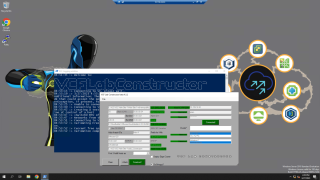
The VMware Cloud Foundation (VCF) Holodeck Toolkit has become quite popular amongst our field teams for quickly spinning up a fully self-contained VCF environment, running on just a single physical ESXi host for educational and hands on experience. Internally, we have a Holodeck Google Space […]
There is a new book that shall be interesting to read for VMware admins that want to learn more about DevOps and some step-by-steps for deployments and managing applications at scale with Docker containers and Google Kubernetes.
vSAN ESA RAID-5 needs 3 hosts (2+1) or 6 hosts (4+1); RAID-6 needs 6. How adaptive RAID-5 works and how Auto-Policy changes the thresholds.
Short answer: in vSAN ESA, RAID-5 works on as few as 3 hosts, where it uses a 2+1 layout (1.5x capacity). The more efficient 4+1 layout (1.25x) needs 6 hosts, and vSAN picks between the two automatically. RAID-6 (4+2) also needs 6 hosts. With Auto-Policy Management enabled, vSAN only picks RAID-5 as the default policy from 4 hosts. Plan for at least one host more than the minimum, so a failed host can be rebuilt.
ESA has no 3+1 layout like OSA. It offers a single RAID-5 policy rule, and vSAN chooses the stripe width from the cluster size. The aim is to keep a spare host whenever possible, so a host failure can be rebuilt without leaving the object degraded for long:
Hosts in cluster
RAID-5 layout
Spare host for rebuild
3
2+1
No
4–5
2+1
Yes
6 or more
4+1
Yes
If a 6-host cluster drops to 5 hosts, vSAN keeps the 4+1 objects for 24 hours. After that it reconfigures them to 2+1. When the cluster grows back to 6 or more hosts, vSAN moves RAID-5 objects to 4+1. Broadcom explains the mechanism in Adaptive RAID-5 Erasure Coding with the Express Storage Architecture. Either change moves data, so account for the extra capacity and I/O when you remove hosts from a 6-node cluster for a longer period.
Auto-Policy Management changes the thresholds
With Auto-Policy Management on an ESA cluster, vSAN creates the default datastore policy for you. The TechDocs page What are vSAN Default Storage Policies sets these rules:
RAID-5 as the auto policy needs 4 hosts, even though RAID-5 itself works on 3.
RAID-6 as the auto policy needs 6 hosts.
On a 3-host ESA cluster you can still assign RAID-5 with a manual policy. Be aware of the trade-off: during a host failure or long maintenance, you have no host to rebuild to.
Sizing guidance: absolute minimum vs practical minimum
3 hosts: RAID-1 or RAID-5 2+1 with FTT=1. It works, but a host outage leaves data unprotected until the host is back.
4–5 hosts: RAID-5 2+1 with a spare host. This is the common choice for small ESA clusters.
6 hosts: RAID-5 4+1 (best efficiency) or RAID-6 4+2 for FTT=2. RAID-6 on exactly 6 hosts has no spare.
7+ hosts: RAID-6 with a rebuild target.
Fault domains count, not hosts. If you configure rack fault domains, apply the table to the number of fault domains. Before buying hardware, also check the Broadcom Compatibility Guide for ESA-certified hardware. For vSAN 9 licensing and edition context, see the vSphere 9.0 product line comparison.
One of the security enhancements that came out with vSphere 8 U2 and we haven’t talked yet is vSphere 8 U2 Identity Federation with Entra ID/Azure AD. This feature is an enhancements of the vSphere identity federation feature that are part of VCP exam topics here – VCP-DCV on vSphere 8.x […]
Sometimes it happens to troubleshoot an ESXi host for network problems. Over time I created a small guide to help me remember the various commands, I share it hoping it will be useful to everyone 🙂
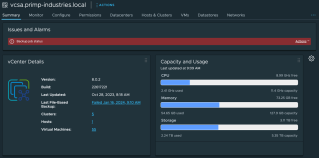
I recently found out that my vCenter Server Appliance (VCSA) scheduled backups had been failing for some time but I was not aware. While there is a default vCenter Server alarm for failed VCSA backups, however it is only visible when you have selected the vCenter Server inventory object […]
Today, we are thrilled to introduce a game-changer!: a custom ChatGPT assistant tailored specifically for VMware ESXi command-line interface (esxcli) queries and troubleshooting. Before diving into the specifics of this innovative tool, let’s briefly explore the concept of creating your own […]
In the last year, there has been an explosive amount of progress in machine learning and artificial intelligence. High-quality generative AI solutions like ChatGPT have ushered in a public interest that has carried over to the business world. Organizations and individuals alike are considering […]
After debugging a recent issue with using VMware Workstation and Intel Hybrid CPUs, it gave me an idea about an experiment to try with ESXi and Intel Hybrid CPUs. As a refresher, starting with the Intel 12th Generation (Alder Lake) CPU, a new hybrid big.LITTLE CPU architecture was introduced […]
Embracing the spirit of open collaboration, VMware is taking up the mantle, actively sharing our instruction-tuned models to empower the community, address those critical challenges, and enable a formidable network of open-source contributors. In this article, we explore the significance of open …Read More