VMware vSAN 8 Update 2 and vSAN Max
VMware announced vSAN 8 Update 2 and an exciting new offering, VMware vSAN Max. We welcome Pete Keohler to discuss the details this week on The Virtually Speaking Podcast.
Daniel Micanek virtual Blog – Like normal Dan, but virtual.
VMware announced vSAN 8 Update 2 and an exciting new offering, VMware vSAN Max. We welcome Pete Keohler to discuss the details this week on The Virtually Speaking Podcast.
🆕 vSphere 8.0 Update 1c is now available! vSphere 8.0 Update 1c was just released and one of the resolved issues mentioned in the ESXi release notes is the following: […]
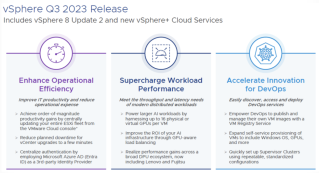
VMware is gearing up for a significant update with vSphere 8 Update 2, and it’s set to make waves in the realm of virtualization. Anticipated for release in Q3 2023, this update promises to bring exciting changes that will have a positive impact on the daily routines of VMware administrators.
CVE-2022-40982 on VMware: no VMSA or ESXi patch. The fix is Intel microcode in the server BIOS, on Cisco UCS M5/M6 in 4.3(2b) or 4.2(3h).

Short answer: VMware never published a VMSA or an ESXi patch for CVE-2022-40982 (Downfall / Gather Data Sampling). The VMware Security Response Center said hypervisor patches are not required. The fix is Intel CPU microcode, which you get with a server BIOS/firmware update. On Cisco UCS, the M5 fix is defect CSCwf30468 and the M6 fix is CSCwf30460, both in UCS Manager 4.3(2b) and 4.2(3h). Intel says some workloads may lose up to 50% performance.
No. On 8 August 2023, the day Intel published INTEL-SA-00828, the VMware Security Response Center posted its response. It rated the issue Moderate (CVSSv3.1 6.5) and said VMware hypervisors may be impacted when they run on an affected Intel processor, but that hypervisor patches are not required. VMware told customers to check INTEL-SA-00828 to see whether their CPU family is affected, and to ask their hardware vendor for a firmware update. No VMSA and no ESXi build is tied to this CVE. So when a scanner flags ESXi for CVE-2022-40982, the fix belongs to the server BIOS, not to an ESXi patch baseline or image.
| Layer | What fixes Downfall | Action |
|---|---|---|
| CPU | Intel microcode (INTEL-SA-00828, 2023.3 IPU) | Comes with the server BIOS |
| Server firmware | BIOS that contains the new microcode | Cisco UCS: 4.3(2b) / 4.2(3h) or later (see below) |
| ESXi | No patch required (VMware statement) | None for this CVE |
| Guest OS | Kernel reports status, can opt out, or can disable AVX if microcode is missing | Leave the mitigation on (the default) |
According to the Linux kernel documentation, when a transiently executed gather instruction hits a fault, it can forward stale data from vector registers. An attacker can then infer that data with cache-timing side channels. The victim does not need to use gather instructions, only vector registers. The buffers are shared between Hyper-Threads, so cross-thread attacks are possible. The kernel documentation lists guest-to-host and guest-to-guest among the boundaries GDS can cross. That is why it matters on a virtualisation host even though the CVE requires local access.
Cisco documents the fix in the UCS release notes under “Security Fixes”. I did not find a separate Cisco PSIRT advisory for this CVE. The defects and first fixed releases are:
| Platform | Defect | CVEs in the fix | UCS Manager (B-Series and FI-attached C-Series) | Standalone C-Series (IMC) |
|---|---|---|---|---|
| UCS M5 | CSCwf30468 | CVE-2022-40982, CVE-2022-43505 | 4.3(2b) (16 Aug 2023), 4.2(3h) | 4.3(2.230207), 4.2(3h) |
| UCS M6 | CSCwf30460 | CVE-2022-40982, CVE-2022-41804, CVE-2023-23908, CVE-2022-37343 | 4.3(2b), 4.2(3h) | 4.3(2.230207), 4.2(3h) |
In practice, stay on your release train. Environments on 4.2(3) go to 4.2(3h) or later. Environments on 4.3 go to 4.3(2b) or later, and ideally to the current recommended 4.3 release, which also carries later security fixes. Upgrade the server firmware bundle (host firmware package), not only UCS Manager infrastructure, because the microcode ships in the BIOS. After the reboot, you can confirm the new microcode revision from ESXi (see the related post below).
With the mitigation on, the results of a gather load are held back for extra time before software can use them. Intel says the impact on most workloads is minimal, but “specific workloads may show performance impacts of up to 50%”. Intel lets users opt out through OS vendor options. On Linux, that is gather_data_sampling=off or mitigations=off. Opt out only if your threat model allows it, for example on a single-tenant host with no untrusted code.
Intel SGX exception: when the microcode is loaded through the FIT (that is, from an updated BIOS), SGX is enabled and Hyper-Threading is disabled, the mitigation is locked on. Otherwise system software can enable or disable it.
Inside a Linux VM, the kernel reports GDS status in sysfs:
cat /sys/devices/system/cpu/vulnerabilities/gather_data_samplingPossible values include Not affected, Vulnerable: No microcode, Mitigation: Microcode, Mitigation: Microcode (locked), Mitigation: AVX disabled, no microcode and, in a VM, Unknown: Dependent on hypervisor status. The last one means the guest cannot tell whether the host CPU is mitigated.
In my 2023 lab I also ran the open-source spectre-meltdown-checker in a VM on an affected host before its microcode was updated, with two different EVC modes on the cluster:
wget https://raw.githubusercontent.com/speed47/spectre-meltdown-checker/master/spectre-meltdown-checker.sh
sh spectre-meltdown-checker.sh --variant downfall --explain
EVC Intel “Skylake” Generation:
CVE-2022-40982 aka 'Downfall, gather data sampling (GDS)'
> STATUS:  VULNERABLE  (Your microcode doesn't mitigate the vulnerability, and your kernel doesn't support mitigation)
> SUMMARY: CVE-2022-40982:KO
EVC Intel “Broadwell” Generation:
CVE-2022-40982 aka 'Downfall, gather data sampling (GDS)'
> STATUS:  NOT VULNERABLE  (your CPU vendor reported your CPU model as not affected)
> SUMMARY: CVE-2022-40982:OK
The Broadwell result is a reporting difference, not a mitigation. The checker decides from the CPU model the guest sees (“your CPU vendor reported your CPU model”). The VM still runs on the same physical, unpatched CPU. Treat EVC as a compatibility feature, not a workaround for Downfall. The real fix is the BIOS update on the host.
For bare-metal Linux or guests where microcode is not yet available, the kernel offers gather_data_sampling=force. It uses the microcode mitigation when present and otherwise disables AVX by turning off XSAVE YMM support. clearcpuid=avx does the same. Applications that check AVX incorrectly can break, so this is a stopgap only.
The VMware Explore 2023 Las Vegas – Video Library recordings for all on-demand sessions is now available!
VMware and NVIDIA today announced the expansion of their strategic partnership to ready the hundreds of thousands of enterprises that run on VMware’s cloud infrastructure for the era of generative AI.
Multi-TEP High Availability
Introduction A tunnel end point (TEP) is a virtual interface that can serve as an uplink for overlay traffic. On an ESXi host, a TEP is tightly associated to the physical interface through which it sends and receives its traffic. In the current TEP high availability (TEP HA) model, a TEP never fails. If the link of the ESXi interface to which a TEP is associated goes down, the TEP is simply moved
Are you ready to embark on an exciting journey at VMware Explore 2023 in Las Vegas? Join us as we hear directly from the VMware Explore Events Team, your trusted guides, on how to plan and navigate your way through this exceptional event.
Curious about the upcoming #hackathon at #VMwareExplore? We’ve got you covered. Join our informative session where you’ll learn all the ins and outs. Discover how to participate, what to expect, and much more. You can still participate! @vmwarecode
ESXi 8 Log Message Formats
ESXi Log Message Formats change in ESXi 8.0.0 and newer.