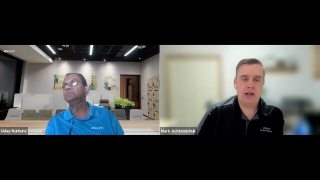
Mark Achtemichuk talks with Uday Kurkure about VMware+NVIDIA AI Enterprise with vGPUs attaining new MLPerf benchmarks as a showcase of performance. Links to additional resources mentioned in the video: VMware and NVIDIA Solutions deliver high performance in machine learning workloads – https://blogs.vmware.com/performance/2021/10/vmware-and-nvidia-solutions-deliver-high-performance-in-machine-learning-workloads.html Machine Learning on Virtualized Accelerators – https://blogs.vmware.com/performance/2021/10/accelerating-and-maximizing-the-performance-of-a-telco-workload-using-virtualized-gpus-in-vmware-vsphere.html Extreme Performance Series 2021 Video Blogs -…Read More
KB 82794 is now Broadcom KB 318697. What the CPU_SUPPORT warning means on ESXi 8 and ESX 9, which CPUs are affected, how to check yours and what to do.
Short answer: VMware KB 82794 is now Broadcom KB 318697, CPU Support Deprecation and Discontinuation In VCF Releases. The old link redirects to it. The warning means your CPU series is deprecated: it is still supported for the whole current major release, but the next major release will block installation. Installation or patching continues. A hard CPU_SUPPORT ERROR means the series is already discontinued. Compare esxcli hardware cpu list with the KB tables.
What VMware KB 82794 is now
The legacy URL knowledge.broadcom.com/external/article?legacyId=82794 resolves to Article ID 318697. The article has been rewritten several times. The first version, from the vSphere 7.0 era, was titled Updated Plan for CPU Support Discontinuation In Future Major vSphere Releases, and this post originally reproduced its Intel and AMD tables. Today the KB covers VCF 9.x, ESX 9.x and vCenter 9.x only. So when an ESXi 8 host tells you to read KB 82794, the current article shows what happens in 9.x.
The exact warning and error messages
Where you see it
Message
Meaning
ESXi 7.0 / 8.0 installer or upgrade
CPU_SUPPORT WARNING: The CPU in this host may not be supported in future ESXi releases. Please plan accordingly. Newer builds append Please refer to KB 82794 for more details.
Deprecated. You can continue.
esxcli software profile update on 7.0 / 8.0
[HardwareError] Hardware precheck of profile … failed with warnings: <CPU_SUPPORT WARNING: …> Apply --no-hardware-warning option to ignore the warnings and proceed with the transaction.
The same warning. The patch can be installed (KB 391610).
VCF / ESX 9.x installer
CPU_SUPPORT_WARNING: The CPUs in this host may not be supported in future VCF releases. Plan accordingly.
Deprecated in 9.x (Table 1 below).
Any installer
CPU_SUPPORT ERROR: The CPU in this host is not supported by ESXi …
Discontinued. The installer stops.
Deprecated vs discontinued: VMware CPU deprecation in two phases
Deprecated (phase 1): the installer warns about the coming discontinuation and lets you continue. The CPU series stays supported for the lifetime of that VCF release, its updates and patches, or until End of General Support. One condition applies: the server OEM must keep the server model listed in the Broadcom Compatibility Guide (BCG).
Discontinued (phase 2): the ESX/VCF installer blocks installation of that major release on the listed CPU series.
In the KB, the “future major release” is the release after the 9.x series, that is, when the first digit changes.
CPUs discontinued in ESX 9.x (the ESXi 8 warning becomes a block)
Table 2 of KB 318697. Hosts with these CPUs cannot install or upgrade to VCF 9.x. The exceptions are the Skylake rows marked “see KB 428874”.
For Skylake-SP, KB 428874 (updated 18 September 2026) extends support: the series now runs in Deprecated mode for all of VCF 9.x. Details are in Intel Skylake and ESX 9 support.
CPUs deprecated in ESX 9.x (warning now, blocked in the next major release)
esxcli hardware cpu list
esxcli hardware cpu global get
esxcli hardware cpu list prints one block per logical CPU with Brand, Family, Model and Stepping. The values are decimal. The KB “CPU Info” column uses hex, in the form family.model.stepping. For example, Skylake-SP 6.55.4 shows up as Family 6, Model 85, Stepping 4. Cascade Lake uses the same model (85) with stepping 6 or 7, so check the stepping before you decide which row applies. esxcli hardware cpu global get shows package, core and thread counts. In the vSphere Client, the host Summary tab shows the processor model string.
What to do when you see the KB 82794 warning
On ESXi 7.0 / 8.0, patching: KB 391610 calls the message harmless. With esxcli, add --no-hardware-warning: esxcli software profile update -d="<patch-depot-path>" -p=<patch-depot-profile> --no-hardware-warning
Before planning VCF 9: look the CPU up in Table 2 and the server in the BCG for ESX 9.0/9.1. The complete checklist (server, CPU, devices, vSAN ESA) is in How to check VCF 9 hardware compatibility. If the CPU is discontinued, the host stays on 8.x (until its End of General Support in the Broadcom Product Lifecycle Matrix) or gets replaced.
Discontinued, but you need software support: KB 428874 says that an RPQ/TQ for “VCF Software Only” support on End of Life hardware goes through your VCF account team. Approval depends on feasibility, business justification and VMware management approval. Hardware, BIOS and firmware support always comes from the OEM.
Deprecated on 9.x (Cascade Lake, EPYC Naples/Rome, Coffee Lake, Denverton): fully supported now. Budget the refresh before the next major release.
Mark Achtemichuk talks with Hari Sivaraman about how VMware uses Machine Learning internally and how to decide the best mode for running your vGPUs. Links to additional resources mentioned in the video: MIG or vGPU Mode for NVIDIA Ampere GPU: Which One Should I Use? https://blogs.vmware.com/performance/2021/09/mig-or-vgpu-part1.html VMware and NVIDIA Solutions deliver high performance in machine learning workloads – https://blogs.vmware.com/performance/2021/10/vmware-and-nvidia-solutions-deliver-high-performance-in-machine-learning-workloads.html Machine Learning on Virtualized Accelerators -…Read More
VMware and Dell Technologies today announced the completion of the spin-off of VMware from Dell Technologies. The spin-off from Dell Technologies provides VMware increased freedom to execute its multi-cloud strategy, a simplified capital structure and governance model, and additional operational and financial flexibility