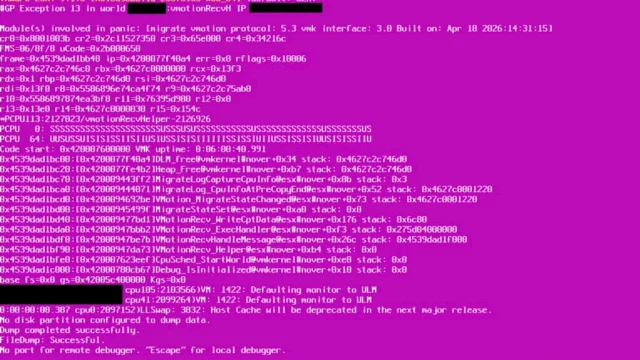
These are the VCF 9.1.1 known issues and the other VCF 9.x problems that Broadcom’s knowledge base added in October 2026. I went through 1,562 KB articles about VCF 9.x that were new in October, after removing the ones already covered in the September 2026 KB roundup. Below are this month’s releases, the patterns, the issues to act on now, the upgrade paths that are blocked, and twelve how-to articles with the commands you need. Every KB number links to the public article.
Key takeaways
- Most new issues are VCF 9.1.1 known issues in the 9.1.0 to 9.1.1 upgrade path, spread across VCF Operations, Fleet Lifecycle, SDDC Manager, NSX and the VCF Services Runtime.
- Apply the interim workaround for the critical Brotli CVE-2026-111497 on SDDC Manager (KB 460732 for 9.1.1.x, KB 460734 for 5.2.4, 9.0.2 and 9.1.0).
- Before the 9.1.1 window, check service-account passwords, certificate SANs, forward and reverse DNS, time sync, free IP addresses in the Services Runtime pool and free space on SDDC Manager.
- Do not use
.local,.labor.internalnames for VCF 9.1.1 services or offline depots. - On NSX 9.1.0 or 9.1.1, move to 9.1.1.0100: it fixes the Identity Firewall being disabled every five minutes.
Releases in October 2026
| Component | Version | Date | Build | Notes |
|---|---|---|---|---|
| SDDC Manager | 9.1.1.0200 | 2026-10-12 | 25801071 | 12 resolved issues, 1 known issue |
| NSX | 9.1.1.0100 | 2026-10-12 | 25762940 | Fixes the IDFW issue in KB 456211 |
| vSAN | 9.1.1.0100 | 2026-10-12 | 25784021 | Patch release |
| vSAN | 9.1.1.0200 | 2026-10-26 | 25846901 | 1 resolved issue |
| VMware Tools | 13.1.6 | 2026-10-30 | 25833820 | Standalone release; see my VMware Tools versions list |
VCF 9.1.1 known issues: the October trends
1. The 9.1.0 to 9.1.1 upgrade has blockers in every layer
- VCF Operations: a stuck depot refresh (KB 457507), bundle downloads cut by a proxy or firewall (KB 458042), incompatible management packs (KB 458779) and component prechecks that never finish (KB 458020).
- SDDC Manager: the release is not found in the LCM manifest (KB 458864), the Deployment Drift step fails after a changed password policy (KB 458880), the precheck times out with HTTP 403 (KB 460253), and a full root partition fails the THIRD_PARTY step (KB 459572).
- Certificates: wildcard certificates break the retrust and fail the upgrade (KB 459183).
- vCenter: the 8.0.3 to 9.1.1 upgrade fails at VCENTER_UPGRADE_SWITCHOVER (KB 460047).
What to do: before you schedule 9.1.1, clear active alerts in VCF Operations, test depot connectivity through the proxy, and check free space on SDDC Manager with df -h /. My VCF Upgrade Planner helps with the order.
2. VCF Services Runtime and VCF Automation need headroom
- Upgrades add a surge node, so an exhausted IP pool fails them (KB 459549, KB 460304). See my VCF Management Services IP allocation post.
- A stale
vidb-import-datasecret left by the 9.0 to 9.1 migration fails the precheck with VCFMS-PRECHECK-GENERIC-001 (KB 457793, KB 458191). - Expired internal service passwords fail the runtime upgrade with VCFMS-HEALTH-002 (KB 459346, KB 460786).
- The Services Runtime upgrade to 9.1.1 fails with
.localdomains (KB 458030). Broadcom now has general guidance on.localDNS domains in VCF and VVF (KB 460245). - VCF Automation upgrades fail when the walg backup pod runs out of memory (KB 459628) and when the migration service engine moves from PostgreSQL 14 to 17 (KB 459252).
- Once VCF Operations is on 9.1, VCF Automation 9.0.x has to move from a workload domain to the management domain (KB 459019).
3. Service accounts lock and expire
As in September, credentials cause many failures. NSX service accounts lock after password rotation or stale SDDC Manager credentials (KB 456648, KB 458696, KB 459311), and the locked-account alarm keeps returning after rotation (KB 459876). An expired serviceaccountmgmt password breaks service-account rotation and deletion everywhere (KB 459678). Setting password expiry to never with chage -M -1 makes VCF Operations report expired passwords anyway (KB 459764).
What to do: check the password state of every service account in VCF Operations before each upgrade, and resync what is out of date first.
4. Certificates, DNS and time break deployments
- A certificate without the FQDN in the SAN breaks VCF deployment (KB 460682). In 9.1.1, the FQDN is required in the SAN and the IP address is optional (KB 457419).
- Uppercase letters in the vCenter FQDN break converting an existing vCenter into VCF (KB 430315).
- DNS resolution failures hide a newly deployed License Server from VCF Operations (KB 445428), and time drift plus DNS problems fail the 5.2 to 9.1.1 upgrade at the License Server certificate step (KB 460101).
- vCenter services do not start when the DNS server does not respond (KB 459714).
- After a certificate rotation, services can keep serving the old certificate or fail the retrust (KB 448618, KB 460923). For expired certificates, use the VCF Certificate Tool Navigator.
5. NSX: leftover objects and silent API changes
- The VCF 9 NSX precheck deliberately fails on leftover Manager API objects such as IpBlock, because the MP APIs were removed in 9.0 (KB 459180).
- After the upgrade to NSX 9.1.0 or 9.1.1, objects created before NSX 3.2.0 silently disappear from LIST API responses (KB 459341). Check any automation that depends on them.
- After a brownfield upgrade from 9.0.x, the Compute Manager can show as down until you re-confirm its certificate thumbprint (KB 458198).
- Stale cluster members or decommissioned hosts block the NSX upgrade precheck (KB 459750, KB 452156).
6. Check NIC and HBA firmware before ESX 9.1.1
Broadcom bnxtnet adapters on Dell drop VM traffic after the upgrade from ESXi 8.0.3 to 9.1.1 with specific firmware (KB 460367). Dell PowerPath/VE 8.2 crashes ESX 9.1.1 hosts (KB 459487), and the Cisco nfnic driver can PSOD when the driver and firmware do not match (KB 412357). Fibre Channel frame drops even fail ESXi 8.0 U3 patch upgrades (KB 458917). Compare driver and firmware against the compatibility guide before every vLCM remediation; see also my VCF 9 hardware compatibility check.
Urgent VCF 9.1.1 known issues and security items
These can hit you even if you are not upgrading. The status column shows what each KB said in October; check the linked article for the current status.
| KB | Issue | Status and action |
|---|---|---|
| KB 460732, KB 460734 | Critical CVE-2026-111497 (Brotli, VMSA-2026-0008) in SDDC Manager | Interim manual workaround only; apply it per version |
| KB 460199 | Compromised eMudhra intermediate CAs allow TLS man-in-the-middle (VCF 5.2.4 and 9.1.1) | Fixes planned in upcoming releases; review trust stores |
| KB 456211 | NSX 9.1.0 and 9.1.1 disable the Identity Firewall on all clusters every 5 minutes | Fixed in NSX 9.1.1.0100 |
| KB 457944 | The upgrade to 9.1 or 9.1.1 from 8.0 U3 or 9.0.x can delete the Supervisor control plane VMs | Fixed in the next 9.1.1 release. Recovery: revert vCenter and restore the Supervisor from backup, so back up the Supervisor first |
| KB 452748 | vMotion and power-on fail with VMK_BUSY for VBS-enabled VMs on 9.1 GA | Fixed in 9.1.1; the KB has a host config workaround |
| KB 457913 | VMs reboot in a loop after the 9.1 upgrade because of legacy CPUID masks | Remove the featMask.vm.cpuid lines from the .vmx with the VM powered off |
| KB 459487 | ESX 9.1.1 PSOD with the Dell PowerPath/VE 8.2 plugin | Check storage firmware against the compatibility guide and engage Dell |
| KB 460367 | VM packet drops with Broadcom bnxtnet firmware after ESXi 8.0.3 to 9.1.1 | Engage the hardware vendor for firmware guidance |
| KB 460915 | Switching vmk0 between DHCP and static on ESX 9.1.1 can leave the host unreachable | Fixed in 9.1.2; workaround in the KB |
| KB 459284 | NSX 9.1.1 reports backup success but writes 0-byte files when the SFTP target is full | Fix planned for NSX 9.2; monitor free space on the backup target |
| KB 458768 | Recovered VMs unregister automatically with the Pure Storage plugin 5.5.1 on vCenter 9.1.1 | Engage Pure Storage support |
| KB 460445 | Avi licenses can’t be assigned from an offline License Hub after its signing certificate expired on 17 October 2026 | Upload a newly signed license file to License Hub |
Blocked upgrade paths and planning dates
- VCF 9.1.1 rejects offline depot URLs with non-IANA top-level domains such as .lab, .local or .internal (KB 456037). My VCF offline depot generator builds the web server for a proper FQDN.
- The vCenter upgrade from 8.0 U3k to 9.1.1 fails with an internal error in some environments (KB 459925).
- Don’t upgrade vCenter to 9.1 while VMware Live Recovery 9.0.2 is in place: replication configuration fails (KB 460443).
- Avi controllers 22.1 to 31.2 do not support vCenter 9.1 (KB 447900), and NetFlow on DVS uplink port groups blocks the vCenter 9.1 upgrade (KB 441813).
- VCF 5.2.3 workload domains can’t go to 9.0.2 when vCenter 8.0 U3i is newer than the target (KB 438461). The same release-date rule is explained in my VCF 9.1 upgrade paths post.
- ESXi 8.0 hosts can’t be imported into a 9.x image-based workload domain (KB 456899), and smart card login must be removed before the vCenter upgrade to 9.0 (KB 372920).
cmsso-util domain-repointdisconnects vCenter in VCF 9.x (KB 459181).- Small VCF management services deployments can’t enable HA in 9.1 (KB 452952).
- End of General Support for vSphere 8.0 (ESXi, vCenter and vSAN 8) is 11 October 2027 (KB 459135). Broadcom also announced the end of service for vSAN 8, NSX 4, Aria 8 and VCF 5.2 (KB 456708). Size the move with my VCF host sizing calculator.
How-to: 12 useful KBs with short resolution steps
These twelve KBs cover tasks that come up often around VCF 9.1.1 known issues. The steps are summaries, not replacements for the KBs. Take a snapshot or backup first, and read the full KB before you change anything in production.
1. Roll back a failed vSphere 8.x to VCF 9.1 convergence (KB 448258)
If convergence fails at step 4 of 14 (Deploy and configure VCF Management Platform), download the deployment spec from the VCF Installer first. Then power off and delete only the VMs the installer created: the VCF component VMs, the bootstrap VM and the used VCF Installer. Fix the spec (for example, lowercase FQDNs and domain name), deploy a new VCF Installer and run the spec again. In a brownfield convergence, never touch the existing vCenter, hosts or NSX.
2. Reset the admin@vsp.local password of VCF Services Runtime (KB 444456)
Use this only when Fleet Management can’t change the password. On a control plane node, back up the secret, hash a new password (15 to 64 characters, with upper and lower case, a number and one of @ # $ ^ * !) and patch the secret.
kubectl get secret vsp-admin-secret -n vmsp-platform -o yaml > vsp-admin-secret.yaml.back
export NEW_PASSWORD='<new-password>'
hash=$(echo ${NEW_PASSWORD} | vmsp passwd --password-stdin | tr -d "\n" | base64 -w0)
kubectl patch secret vsp-admin-secret -n vmsp-platform -p "{\"data\":{\"password\":\"${hash}\"}}"
3. Reset the vmware-system-user password (KB 444453)
Boot one control plane node into single-user mode (rw init=/bin/bash in the Photon boot loader), create a temporary sudo user, log in with it and patch the cluster SSH password secret. All nodes pick up the new password. Delete the temporary user afterwards.
CLUSTER=$(kubectl get configmap global-config -n vmsp-platform -o jsonpath='{.data.cluster\.name}')
read -sp "Enter password: " NEW_PASSWORD; export NEW_PASSWORD
HASH=$(printf '%s' "${NEW_PASSWORD}" | vmsp passwd --password-stdin | tr -d '\n' | base64 -w0)
kubectl patch secret "${CLUSTER}-ssh-password-secret" -n vmsp-platform --type=merge -p "{\"data\":{\"sshPassword\":\"${HASH}\"}}"
4. Reset the NSX Manager root password and resync the cluster (KB 457735)
On a node where root login still works, stop the API server, reset the passwords, trigger the cluster-wide credential reset and start the API server again. Then remediate the password in SDDC Manager.
/etc/init.d/nsx-mp-api-server stop
passwd admin
passwd root
touch /var/vmware/nsx/reset_cluster_credentials
/etc/init.d/nsx-mp-api-server start
5. Check when the VCF License Server certificate expires (KB 459285)
echo | openssl s_client -connect <license_server>:443 2>/dev/null | openssl x509 -noout -subject -issuer -dates6. Shut down a VCF Services Runtime cluster safely (KB 440874)
The KB attaches a script that stops all management services on the platform (Log Management, metrics, lifecycle and more) in the right order. Run it from any Linux machine with curl and jq that reaches port 5480 on a control plane node, and start with a dry run. With govc installed, it can also power off the VMs.
./vcf_services_runtime_shutdown.sh --node-ip <NODE_IP> --dry-run
./vcf_services_runtime_shutdown.sh --node-ip <NODE_IP> --poweroff-vms
7. Check DNS and NTP on NSX Manager (KB 459423)
In the NSX CLI over SSH, the current NTP source is marked with an asterisk.
get name-servers
get ntp-server associations
8. Check a JSON file on VCF Installer or SDDC Manager (KB 459426)
A parse error means the file is corrupted: download it again from its source. To build a valid deployment spec in the first place, use my VCF JSON Builder.
jq type /nfs/vmware/vcf/nfs-mount/compatibility/VmwareCompatibilityData.json9. Retrieve the generated passwords from VCF Installer 9.1 (KB 388719)
The UI shows them under Deploy > View Details. Over SSH (as vcf, then root), get a token and read the spec of the latest deployment.
TOKEN=$(curl -k -X POST https://localhost/v1/tokens -H "Content-Type:application/json" -d '{"username": "admin@local","password": "<admin@local password>"}' | jq -r '.accessToken')
curl -k -H "Authorization: Bearer $TOKEN" https://localhost/v1/sddcs/latest | jq
curl -k -H "Authorization: Bearer $TOKEN" https://localhost/v1/sddcs/<id>/spec | jq | less
10. Use the VCF Download Tool in an air-gapped site (KB 460731)
Follow steps 1 to 5 of the TechDocs procedure for disconnected mode on a machine with internet access. At step 6, copy the binaries to physical media and upload them from a machine inside the air-gapped network. Set a TCP keepalive in your SSH client for the long-running uploads. For the depot web server, see my VCF 9.1 HTTP offline depot guide.
11. Clean up a failed component after a VCF 9.1 install or upgrade (KB 441333)
The KB’s Python script lists and removes failed Identity Broker, Log Management or VCF Automation entries from Fleet Lifecycle. Run it from SDDC Manager, back up the component data first, and start with the list command.
python cleanup_component.py list vsp-component --fleet-fqdn <fleet-lcm-fqdn> --vcf-services-runtime-fqdn <vcf-services-runtime-fqdn>12. SAN requirements for certificates in VCF 9.1.1 (KB 457419)
Every CSR needs the FQDN in the Subject Alternative Name. The IP address is optional; add it only when an integration connects by IP. You can check a live certificate with openssl s_client as in how-to #5, or plan replacements with the VCF Certificate Tool Navigator.
Related on vDan
- Previous month: VCF 9.1 Known Issues: September 2026 KB Roundup
- ESX 9.1 vMotion PSOD (KB 455306)
- VCF 9.1 Pre-Deployment Checklist
- VCF 9.1 Supported Upgrade Paths and the VCF Upgrade Planner
- vcf-cert-tool guide and the VCF Certificate Tool Navigator
- VMware Tools versions and build numbers
- All vDan tools
Source: Broadcom knowledge base articles about VCF 9.x that were new in October 2026, plus the October component release notes. KB content changes often, so the linked article is always the current version.