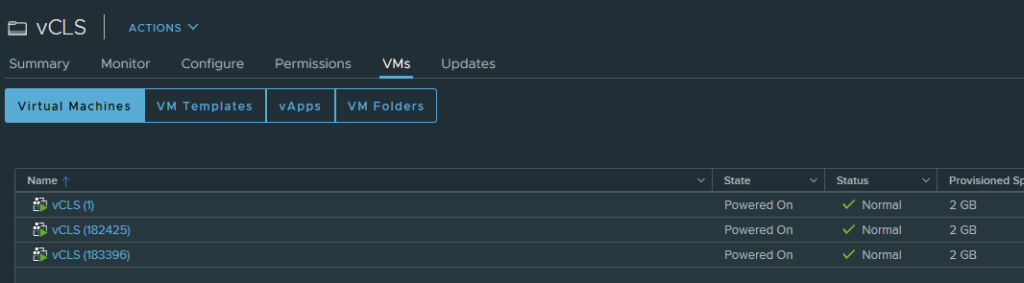
vSphere Cluster Services (vCLS) are small agent VMs that vCenter runs in every cluster so that cluster services such as DRS keep a healthy, distributed control plane. vCLS arrived in vSphere 7.0 Update 1 as external vCLS (up to three VMs per cluster). vSphere 8.0 Update 3 replaced it with embedded vCLS (two VMs per cluster, based on vSphere Pod technology). From vSphere 9.0 you can even disable vCLS without affecting DRS or HA. Leave vCLS VMs alone unless you are diagnosing them.
What vCLS does
Starting with vSphere 7.0 Update 1, vCLS is enabled by default and runs in all vSphere clusters. It keeps cluster services available and maintains the resources and health of the workloads in the cluster even if vCenter Server becomes unavailable. The vCLS VMs are created automatically when you add hosts to a cluster, including clusters with only one or two hosts.
External vs embedded vCLS
| External vCLS | Embedded vCLS | |
|---|---|---|
| vSphere versions | 7.0 Update 1 to 8.0 Update 2 | 8.0 Update 3 and later |
| Technology | Agent VMs deployed by the ESX Agent Manager (EAM) | vCLS VMs based on vSphere Pod technology, managed by the internal vpxd extension instead of EAM |
| VMs per cluster | Up to 3 (1 or 2 in one- and two-host clusters) | 2, with at least 1 powered on for DRS |
| Naming | vCLS-{UUID} | vCLS-{UUID} (UUID of the ESXi host), plus the config option vCLSCRX.agent = true |
| Retreat Mode | Supported | Supported (same per-cluster activate/deactivate) |
Sources: TechDocs: Embedded vCLS and Broadcom KB 312147. If embedded vCLS VMs don’t deploy after an upgrade to 8.0 U3, start with KB 378133.
vCLS in vSphere 9.x
In vSphere 7.0 and 8.0, removing vCLS from a cluster (Retreat Mode) stops DRS and makes HA placement suboptimal. Starting with vSphere 9.0, vCLS can be disabled on a cluster without any impact on DRS or HA (KB 316514). The steps for every version are in vCLS Retreat Mode: how to disable vCLS on a vSphere cluster.
Retrieving the password for vCLS VMs (external vCLS)
You can retrieve the password to log in to external vCLS VMs. Use it only for explicit diagnostics; to keep cluster services healthy, avoid logging in to vCLS VMs.
- Log in to the vCenter Server Appliance over SSH.
- Run
/usr/lib/vmware-wcp/decrypt_clustervm_pw.py - Read the password from the
PWD:line of the output.
What not to do with vCLS VMs
These operations can disrupt the healthy functioning of vCLS VMs:
- Changing their power state
- Reconfiguring resources: CPU, memory, disk size or disk placement
- VM encryption, changing the BIOS, configuring PMem, enabling FT
- Triggering vMotion of vCLS VMs
- Removing them from the inventory, deleting them from disk, cloning them, or recovering them from a snapshot
- Renaming the VMs or the vCLS folders, or moving them to another folder or a resource pool
- Applying DRS rules and overrides, HA admission control policies or HA overrides to vCLS VMs
If you need vCLS out of the way, for example during storage maintenance, use Retreat Mode instead of touching the VMs.